January 8, 2018Benjamin O’Daniel
Internal Linking in SEO: Rules, Strategies, Optimization
Internal linking is a central lever in search engine optimization (SEO), and it is almost never really used. Internal links show how relevant an individual subpage is. A central ranking factor for Google.
In the episode we talk about what internal linking is, how it works, and how you optimize your internal linking for SEO, and at the same time for users too.
Internal linking: what is on this page
What is internal linking?
Internal linking means how individual pages (URLs) of a website are linked to one another. In general: the more often an individual page is linked internally, the more important the Google algorithm rates that page. And the higher that individual page then also stands in the search results for certain terms.
In search engine optimization, the point is to analyze whether all pages are linked internally well enough, and to develop measures to strengthen the internal linking.
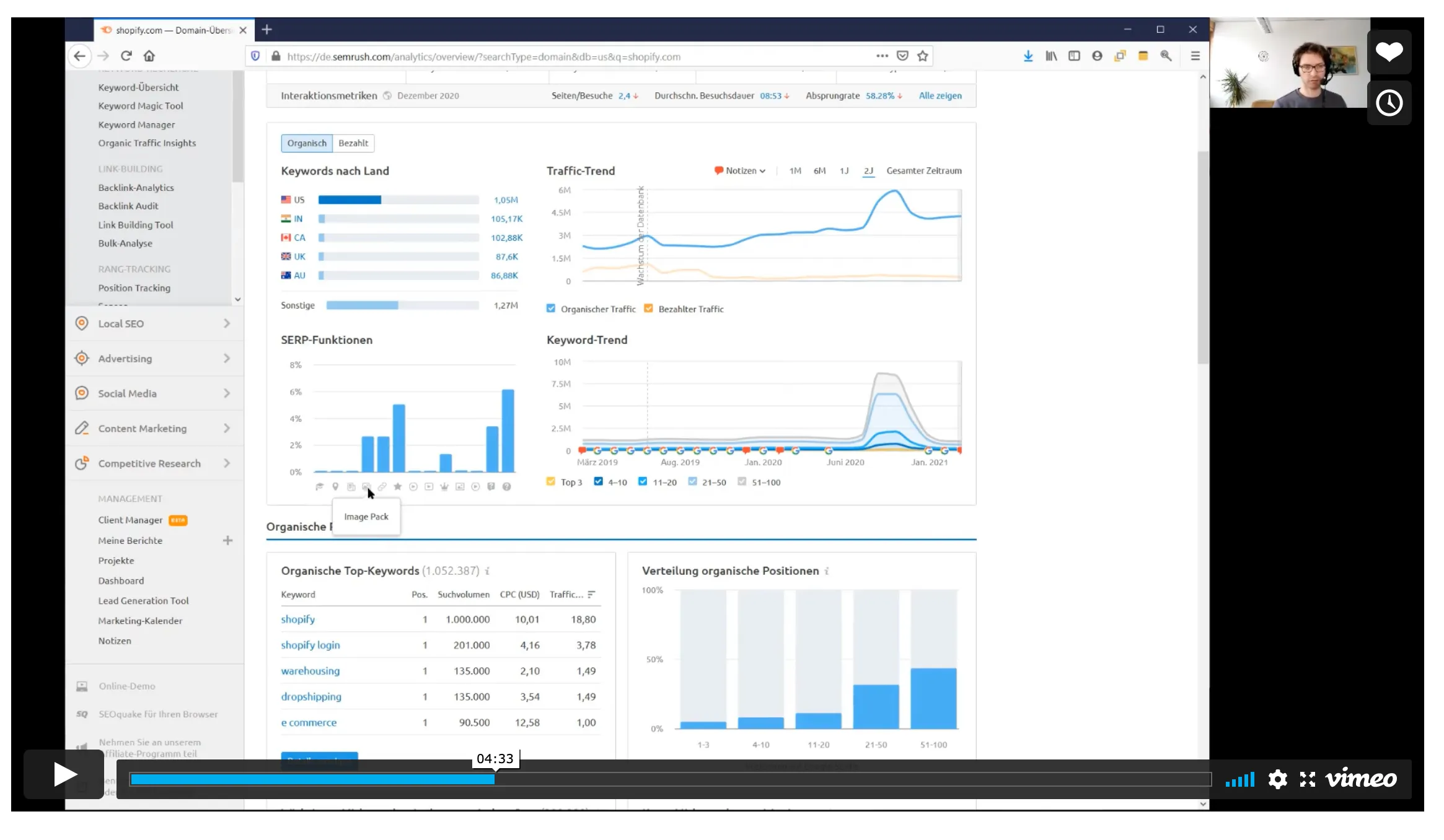
The analysis of internal linking is done with SEO tools such as Screaming Frog. But there are also corresponding plugins for content management systems such as WordPress.
As a basis for internal linking, a website first needs an SEO strategy. Meaning the knowledge of which keywords are relevant, where these keywords are anchored in the website structure, and which content, meaning text, images, videos, and so on, is present on an individual page.
Frequent page types are
- Landing pages or product pages
- Guide pages such as blog articles or glossaries
These individual pages are then systematically linked to one another.
How do I set internal links correctly?
In internal linking, the following mistakes are usually made:
- There is too little internal linking
- The linking is not done with the correct anchor text
Both have negative effects on the Google rankings. And internal linking is an ideal SEO measure. It can be tested and implemented relatively quickly. You have the activity completely in your own hands.
We recommend first defining the relevant pages. These should be aligned with keywords that are relevant for the company. The basis for this is a keyword research.
When setting internal links, put simply, you go to thematically fitting pages and link from there to the target page.
The individual word that is linked in the content is called the anchor text. Care should be taken that the keyword is also named in the anchor text.
Optimize internal linking for Google: our tips
You have internal linking one hundred percent in your own hands. Quite unlike external linking, for example, which is also an important Google ranking factor. Our tips:
- Work on internal linking regularly
- Link new and old articles to one another
- Link important pages as often as possible
- Define a target page for a main keyword
- Set thematically fitting internal links
- Link from within the content
- Build the fitting keyword into the anchor text
- Link internally in a way that is acceptable for the user
For thematically fitting, relevant links, though, you need corresponding content. And preferably not SEO texts that put the user off. But structured, high-quality content.
How do I develop an SEO strategy? How do I work with SEO tools? How do I produce high-quality content? We discuss questions like these in our SEO Academy. For individual consulting we offer SEO sparring.
Three frequent questions about internal linking and SEO
How do I analyze internal linking?
To analyze internal linking, the Screaming Frog is suitable, for example. There are also various plugins for WordPress. However: you should not set as many internal links as possible at random, but proceed in a targeted and strategic way. More on that in our podcast interview on WordPress SEO. A tool alone does not help. You have to know your keywords and rankings and define relevant target pages.
What do I do with internal links in a relaunch?
A frequent mistake in a relaunch: correct redirects are not set. The result: all existing rankings are lost. Because the old pages are now gone and can no longer be crawled by Google. In general: in a relaunch you should always ask yourself whether you really have to change the website structure and, in particular, the URL structure. And if yes, bring in SEO consulting when in doubt. IT and web agencies often have great expertise in programming, but rarely in search engine optimization.
What is the difference between internal and external links?
Internal links describe all links that take place within a website. You speak of external links when other websites link to a website. For example as a recommendation or reference. The so-called backlinks, meaning external links, are also an important ranking factor for Google. There are different approaches here. We are advocates of white hat SEO, who build links through digital relations. That is more effort. But it is more sustainable and cannot be copied.
SEO from practice: internal linking, content, and much more, via our mailing list
Internal linking in SEO: notes on the episode
Missing knowledge
- Internal links as a ranking factor in SEO
- Link flow on a page
- In-content links
- Links with added informational value
Missing concepts
- Often links in the footer
- Links set at random
- Far too many internal links
- No internal linking at all
- For example with WordPress
- Related to that, our interview with Kai Spriestersbach
Analysis
- Determine the link structure
- Use tools for internal linking
- Identify important pages
- Clarify the Google ranking
Content
- Think about content development and links together
- Consistent internal linking
- Delete unimportant content / links
- The homepage is a central lever for internal linking
Tracking
- Watch the ranking
- The approach lends itself well to tests
SEO strategy
- Develop an SEO concept
- SEO sparring
- Attend an SEO seminar